Step-by-step
Open the package dialog
The screenshots show Lowrance software. Menu names can vary slightly on compatible Simrad models and between software releases.
Open Settings
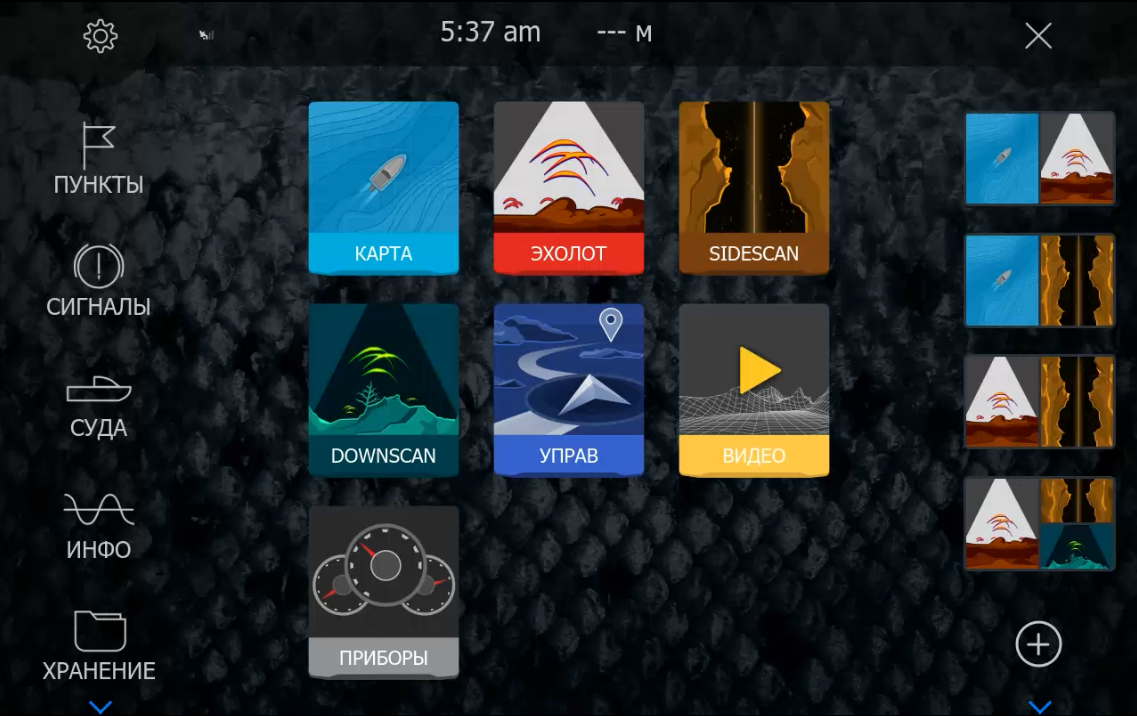
Select the gear icon in the upper-left corner of the Lowrance home screen to open Settings.
Open System → Language
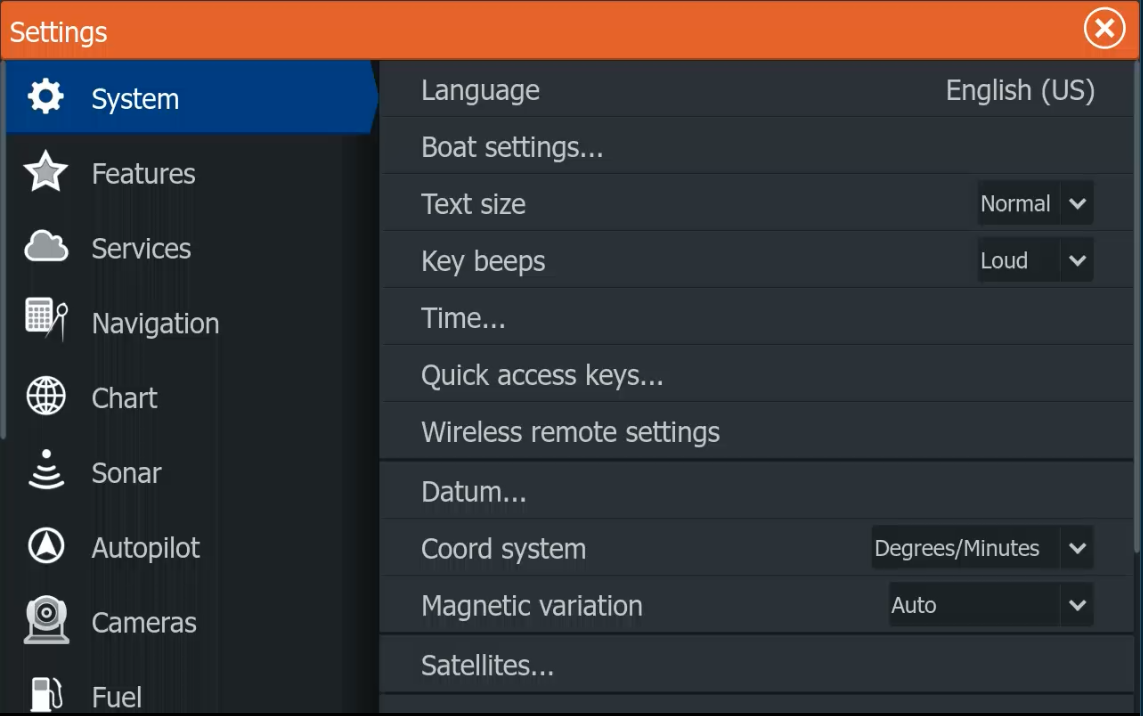
Select System, then select the Language row near the top of the menu. The current interface language is shown on the right.
Select Enable language pack
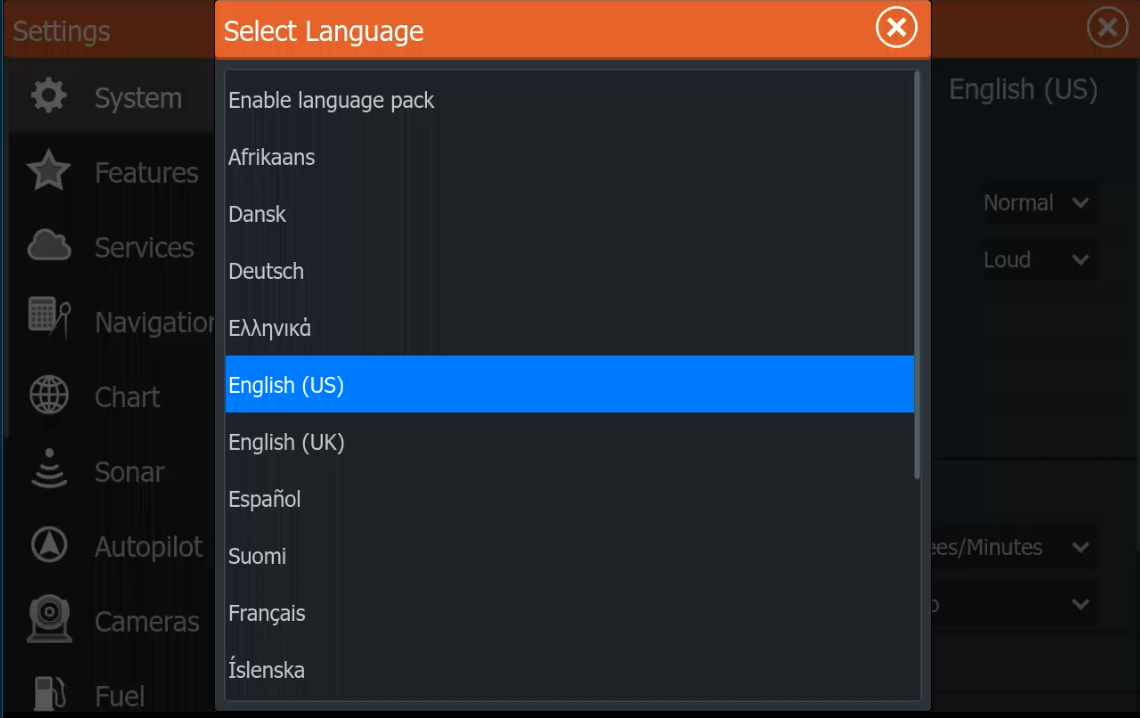
In the Select Language dialog, choose Enable language pack at the top of the list.
Copy the Request Code
Photograph the screen or carefully copy the complete Request Code. Send it with the exact model and the language or regional package required. We check compatibility before payment.
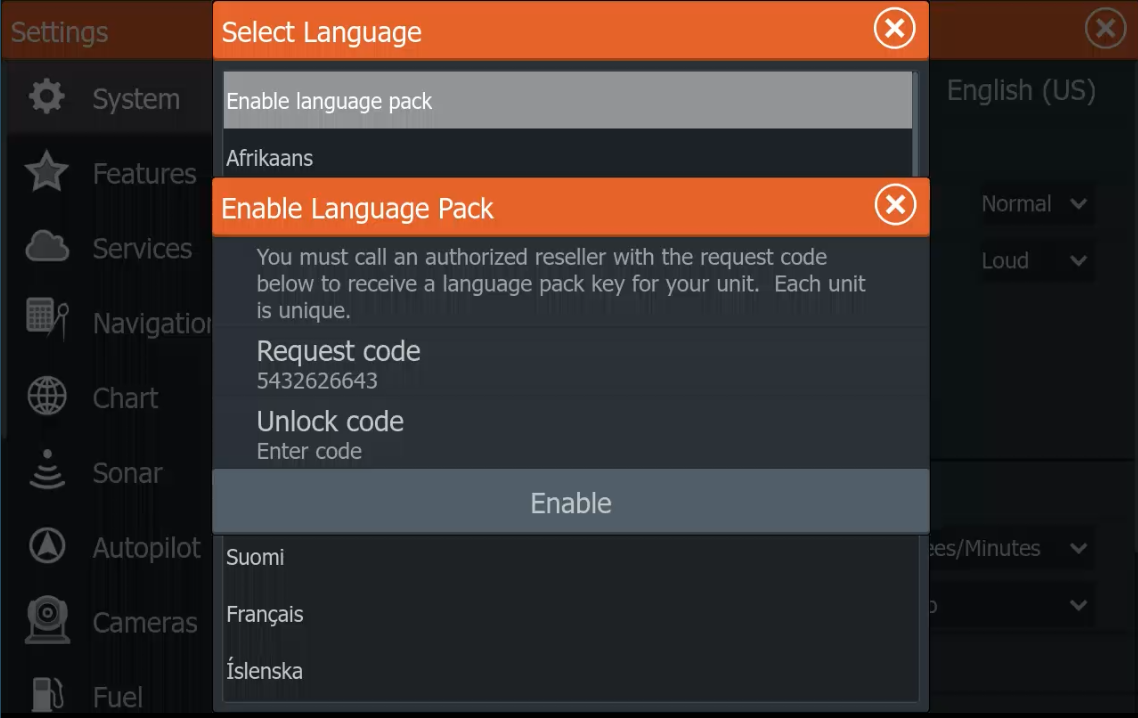
Enter the matching unlock code
Enter the personal code in the Unlock code field, check every character, then select Enable. A code generated for another display will not match.
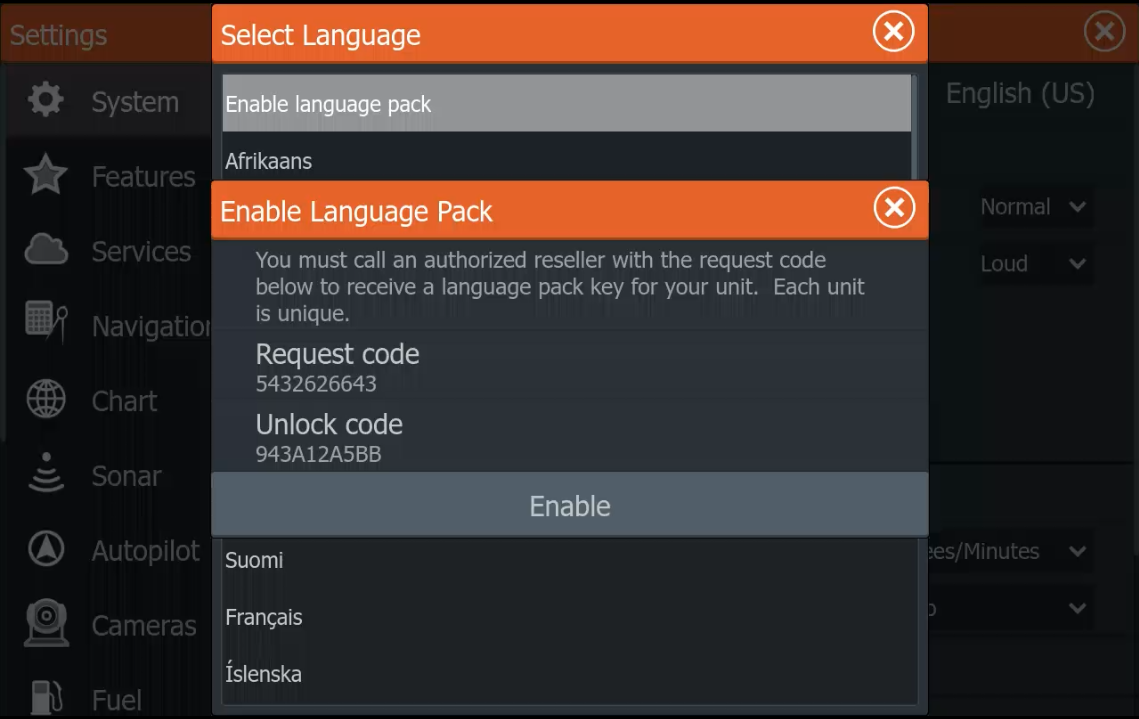
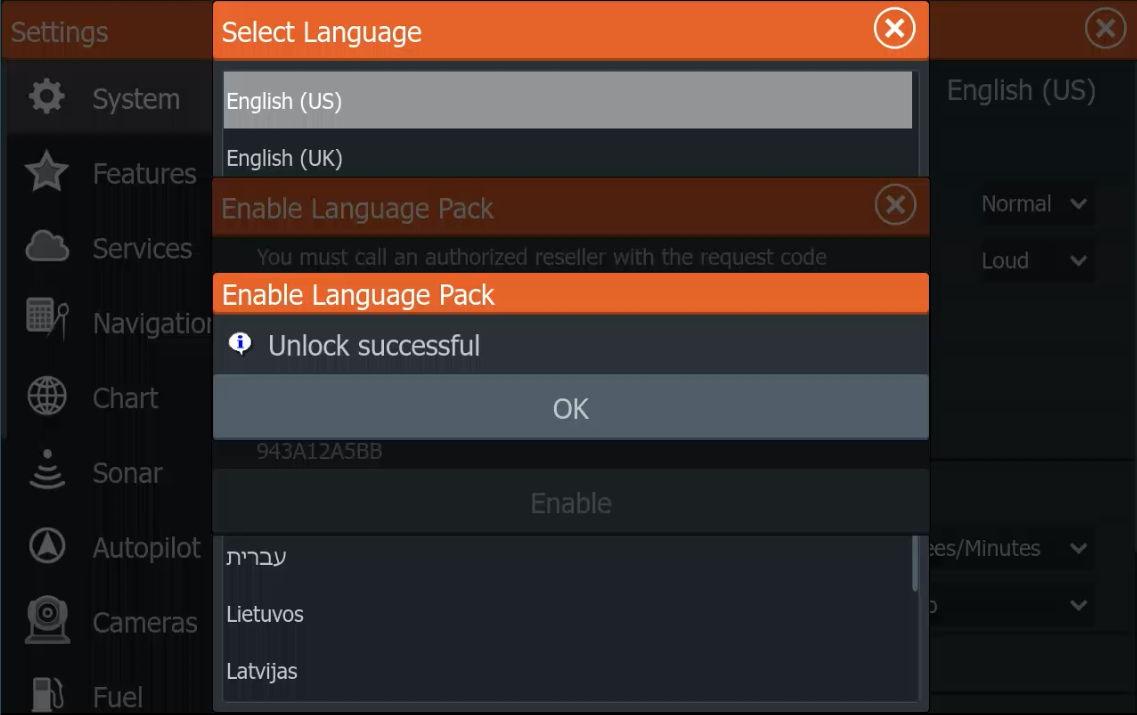
Confirm Unlock successful
When Unlock successful appears, select OK and return to the Language list. The languages in the activated package can then be selected.